
|


|
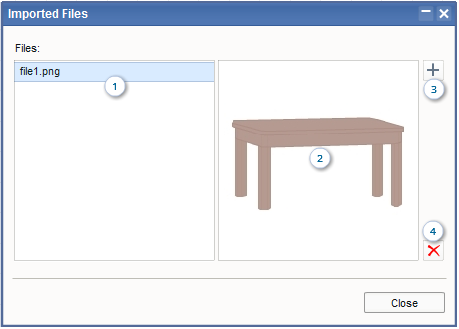
Imported Files Dialog Box
This dialog box appears when you click the Imported Files button on the toolbar, and allows you to import or delete image files.
|
|
|
||
|
FLDraw Interactive Image Software
>
User Guide
>
Imported Files Dialog Box
Imported Files Dialog Box
This dialog box appears when you click the Imported Files button
|
||
| Copyright © 2010-2016 FLDraw.com. All Rights Reserved. |